Anti-Saloon League Propaganda for World War One Reenacting
I had the opportunity to do a little research at the Anti-Saloon League Museum. I pulled out some documents you might be able to use to enhance your World War One Impression.
Lincoln-Lee Pledge Cards:
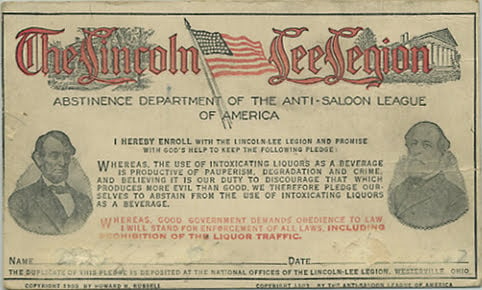
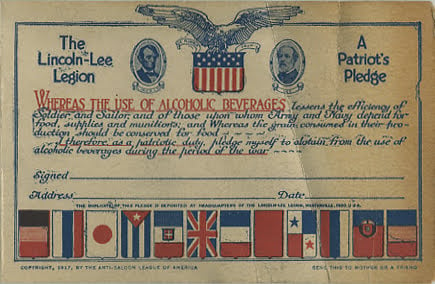
Both the 1903 and 1917 versions are the same Size: 5.5in. x 3.5in. The back is blank.
lincoln lee pledge card 1903
lincoln lee pledge card 1917
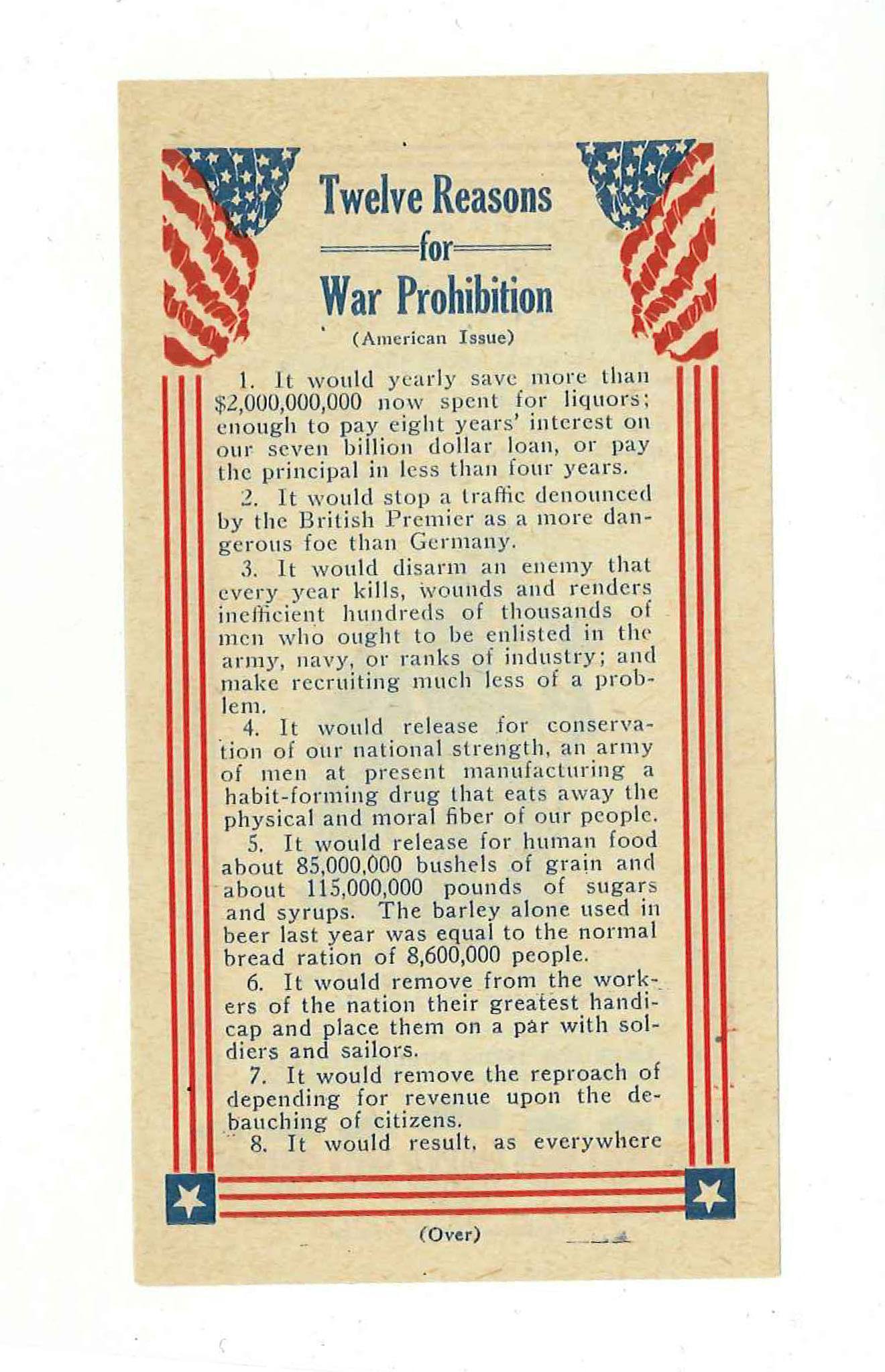
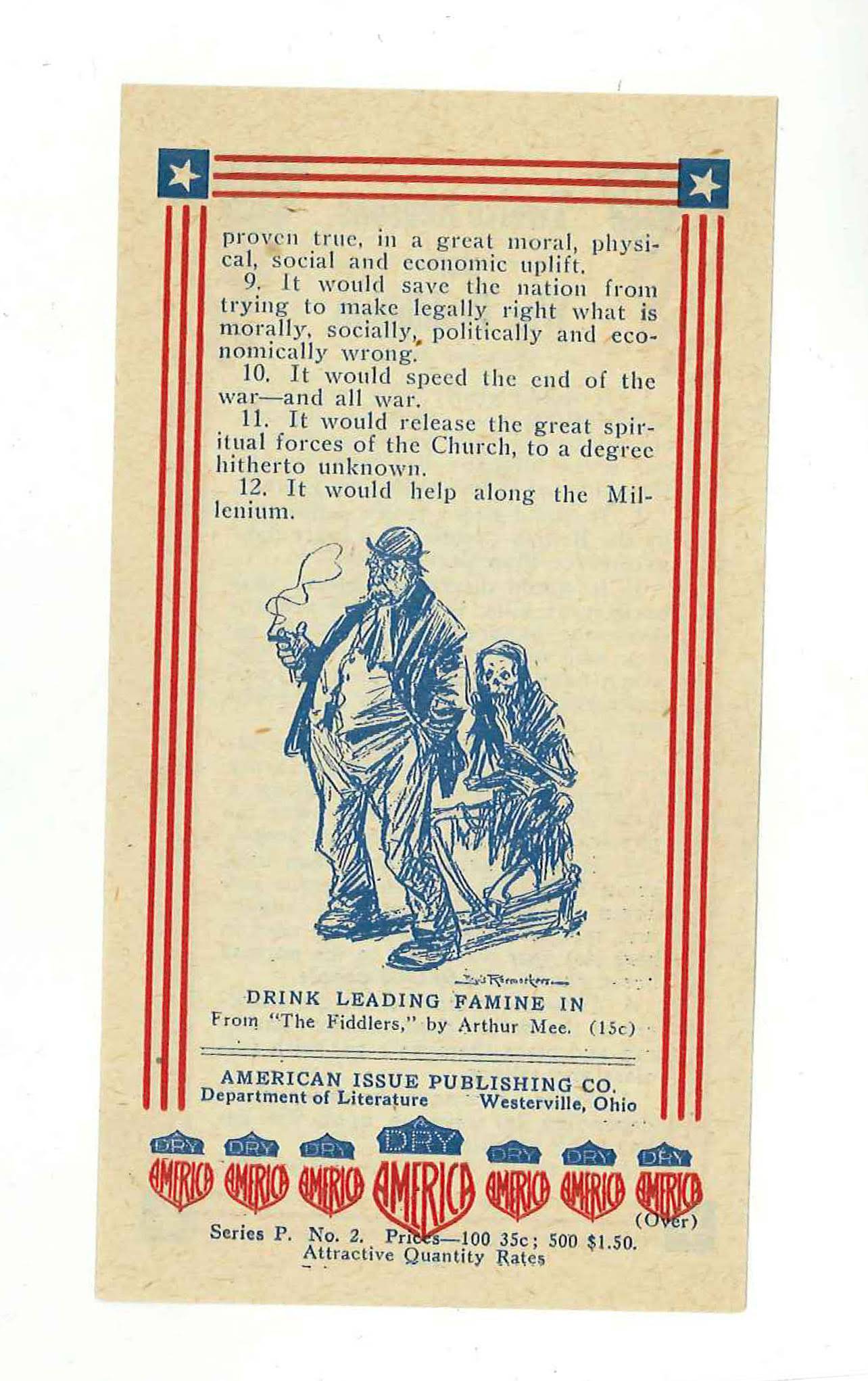
12 Reasons for War Prohibition
Size: 3.5in. x 5.5in.
12 reasons for war prohibition front
12 reasons for war prohibition back
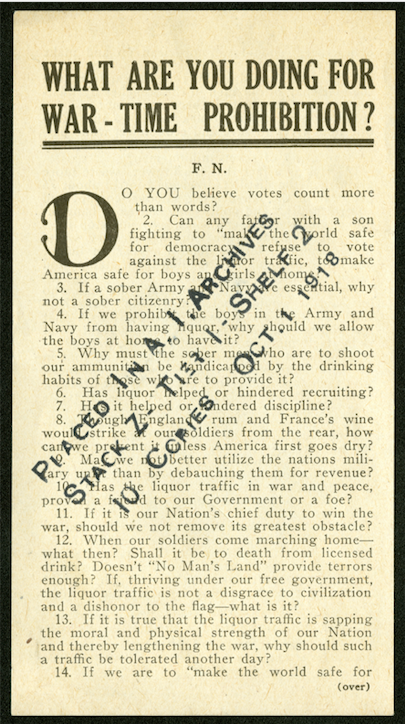
What Are You Doing For WarTime Prohibition?
Size: 3.5in. x 5.5in.
What Are You Doing For WarTime Prohibition – Front?
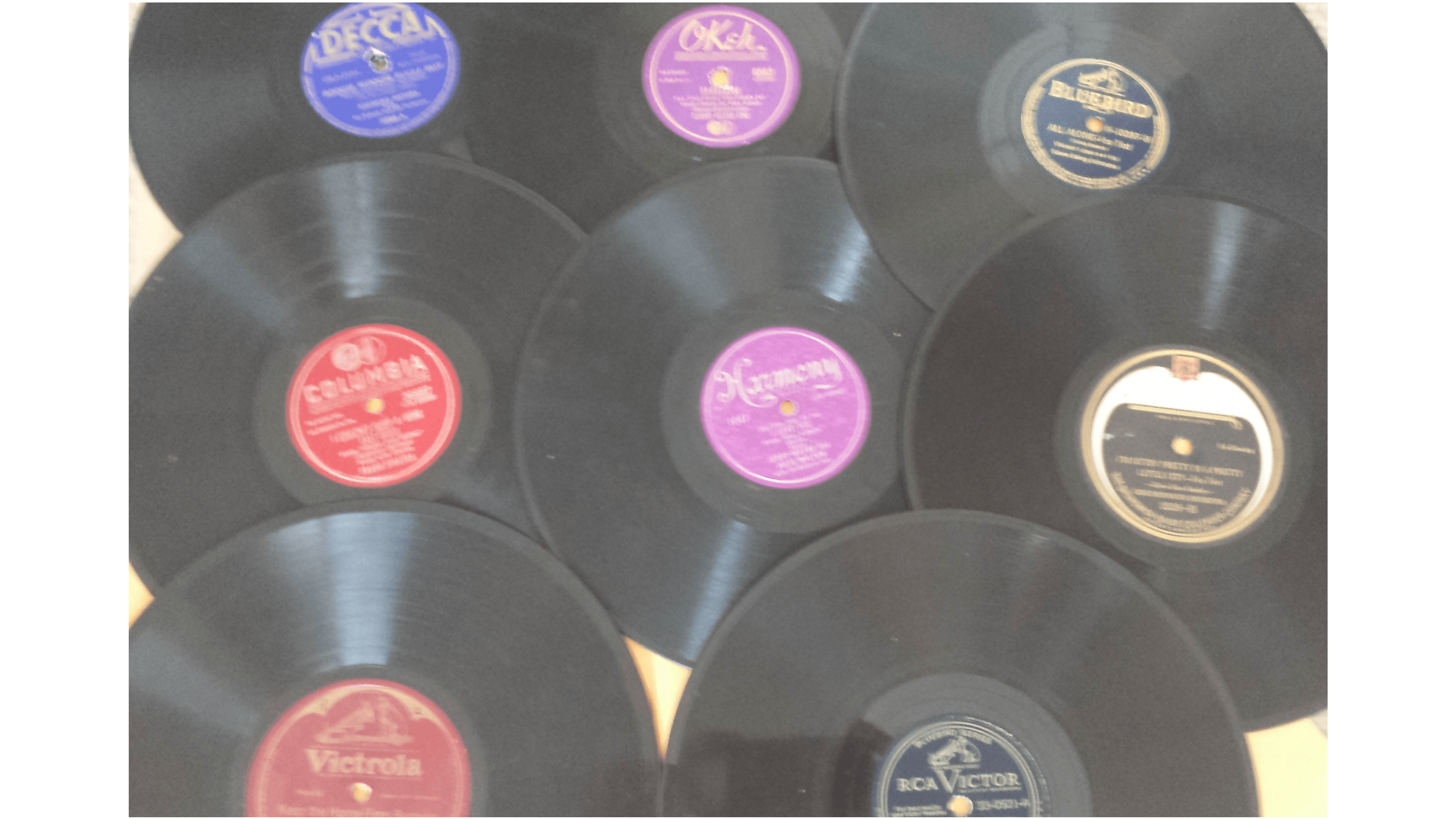
Note on Musicians: Some seemingly “no-name” musicians may actually be well-known musicians in disguise. For example, Fletcher Henderson often went under (with or without his consent) the pseudonym “Sam Hill” or “Dixie Stompers”. This was done by some unscrupulous musicians to avoid payments to their contracted record label thereby earning money on the side. Additionally, some labels would copy a hit record and release it under a different musician’s name, thus avoiding paying the musician more money.
Note on Record Label: Generally speaking, records that have a label (the sticker in the center) that is more ornate, decorative, colorful, etc. may be worth more money.
Note on Size: Almost all record companies experimented with different record sizes: 5inch, 8inch, 7inch, 9inch, 10inch, 12inch, and 14inch.
Notes on Color: Generally speaking records pressed in red or that have a predominantly red label are the classical series while records pressed in green or that have a predominantly green label are the ethnic or foreign series.
Notes on Record Type: Vertical Cut records are where the needle picks-up sound along the bottom of the record. The sound is determined by the depth of the grooves. A Lateral Cut record where the needle picks-up sound in a side-to-side motion across the record.
Notes on Collecting: 1910s/1920s blues music can be highly collectible. You know it is “blues” when the label says: Blues, Stomp, Shuffle, and Foxtrot as part of the song or includes Banjo, Guitar, Harmonica, or Jazz on the label.
It is produced by hand-cutting glass. Cut glass used to contain heavy amounts of lead, and to get the right designs, glass-makers would add crystal or “flint” to it. Cut glass is used primarily for tableware and comes in many styles. Most glassware was signed with the name of the producer, etched into the glass. Reproductions of cut glass tend to have signatures embossed.
Carnival Glass (1900s-1930)
Carnival Glass is pressed glassware produced in the 1900s-1930s. The glass came in many colors, including brights (like red, green, blue, purple, etc.) and pastel colors (like clear, white, smoke, lavender, and opalescent). The pastel colors have less of a finish. Red is the most highly collectible color as it requires fair amounts of gold oxides to produce it. Marigold is the most widely available color. When the depression hit and glass styles changed, producers of carnival glass gave it away to…carnivals as prizes.
It was sprayed with a metallic finish that made it look oily in nature. Five companies produced the majority of it in the US. 1. Fenton Art Glass Co. of Williamstown WV 2. Imperial Glass Corporation of Bellaire, OH 3. Millersburg Glass Company of Millersburg, OH 4. Northwood Glass Company of Wheeling, WV 5. Dugan Glass Company of Indiana, PA
Depression Glass (1920s-1930s extending to 1970s):
Cheaply produced colored glassware, as automation and industrialization finally caught up to glassmaking. This glassware was marketed for middle-income and working-class Americans. This glassware came with purchases from stores or mail-order catalogs. Glassware was of any kind, including bowls, shakers, dishes (all kinds), creamers, sugars, vases, jars, pitchers, measuring cups, etc. Pink is the most common glass color, followed by Green and Amber. The rarer Depression glass colors are red, black, cobalt blue, and yellow. The rarest types of Depression Glass are the ones that incorporate glass bases for citrus juices (reamers).
Fiestaware (1936 to 1970)
Fiestaware is brightly colored pottery. It was produced from 1936 to 1973. It was restarted in 1986. Collectors seek the original colors: Red, Yellow, Cobalt, Light-Green, Ivory, Turquoise. Fiesta Red was pulled from the market in 1943 as it used uranium to help create its color, and the uranium was needed for the war effort. Chartreuse(gray and rose-colored) was added as a color scheme in the 1950s, and earthy tones arrived by the 1970s. The rarest color is medium green.
Glass Companies
Cambridge Glass Company of Cambridge, OH:
Produced glass from the early 1900s to the 1950s. Focused mostly on crystal or cut glass. Can find designs of stars, swirls, squares, etc. Produced mostly bowls, plates, tumblers, and cocktail glasses. The most collectible of Cambridge Glass is the Square Series, produced shortly before it went out of business. It would eventually be bought by Imperial Glass.
Imperial Glass:
This company began reproducing Carnival glass in the 1960s using some of the original molds; however, the difference between period-correct Carnival glass and Imperial Glass Reproductions is that the new glass is marked IG at the bottom.
Fenton Glass:
Produced Carnival and then Depression glass. Before 1970, most Fenton glass had a sticker. If no sticker look for an absence of the pontil mark (typically seen as a dimple, chipped-looking section, or lumpy bump that indicates the punty rod was detached from the glass as it was cooling). Fenton Glass used a different kind of punty rod that left clean breaks. After 1970, Fenton glass will mark the piece of an “F” or “Fenton” somewhere on the item See: https://web.archive.org/web/20130126045835/http://www.ehow.com/how_7330459_authenticate-fenton-glass.html http://entertainmentguide.local.com/detect-fake-fenton-glassware-8067.html
Heisey Glass (1860s-1957):
Produced Art Glass, Cut-Glass, and Carnival Glass. The symbol is an “H” inside a diamond.
Libbey Glass:
Produced all kinds of glassware, but not much of Carnival or Depression. Glass marked with the word “Libbey”
Westmoreland Glass (1890-1985):
Produced some carnival and depression, but mainly milk glass. Early Westmoreland marks were a “W” within what appears to be an upside-down lampshade. The intertwined “W” and “G” were not developed until 1949. In 1983, all Westmoreland glass was marked “Westmoreland.”
Others include:
Anchor-Hocking and Fire King: Jeannette Glass Company Liberty Works MacBeth-Evans Glass Company US Glass Company Hazel Atlas Company Indiana Glass Company Fostoria Glass Company Federal Glass Company Paden City Glass Company McKee Glass Company New Martinsville L.E. Smith Company Lancaster Glass Company US Company (?) Belmont Tumbler Company Dell Glass Diamond Glassware Company Homer-Laughlin China Company-Fiesta Ware
Sources:
1. Florence, Gene. 1999. The Pocket Guide to Depression Glass and More: 1920s-1960s. 11th Ed. Collector Books. This is a Good source that puts pictures with the different pattern types. 2. Pickvet, Mark. 1996. Collecting Glassware. Alliance Publishers. This is a general overview of glass history, glass styles, and glass companies.
WW2 Red Cross Reproduction Knitting Patterns for WW2 Reenactors
During World War I and again during World War II, the American Red Cross launched nationwide, volunteer-driven knitting campaigns to supply soldiers and war refugees with warm clothing. These volunteer knitters belonged to a Red Cross unit called the Production Corps that also produced bandages and sewn garments (such as pajamas) for veterans and civilian hospitals.
Military knitting patterns were designed to be compatible with soldiers’ and sailors’ uniforms and were required to be knitted in olive drab or navy blue. Production Corps volunteers would also knit from patterns designed for convalescing soldiers, such as the “Walking Cast Toe Sock,” the “Cap for the Bandaged Head,” and the “Man’s Coat Sweater.”
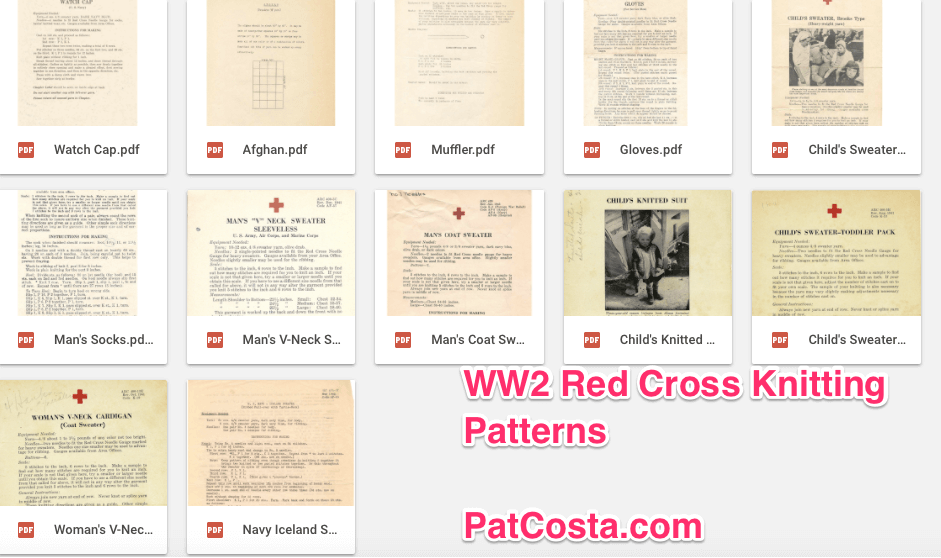
The chart below shows some different patterns for knitting. The Wristlets pattern comes courtesy of the Estate of Ray and Anita Sexton, Oneida, TN (*).
**The pattern calls for 4/8 sweater yarn and has no needle size or gauge. Above are approximations based on the pattern description. The Center for Knit and Crochet, Inc, says:
…the Women’s Bureau decided to specify three standard “Red Cross Needle” sizes, and printed their diameters in inches. Because knitting needles were not yet standardized…
During World War II, the Red Cross Production Corps was by far the most popular unit, with over 3.5 million members, spread throughout 3,304 chapters. Unlike other volunteer jobs, there was no prerequisite training, and recruitment and task assignments were accomplished quickly. The women, and in some cases the men, who volunteered enjoyed the camaraderie and the fact that workrooms were set up not only at chapter buildings, but also at schools, churches, and other public or private facilities for their convenience.
From 1939 to 1946, the volunteers of the Production Corps made: 63,552,649 garments for civilians and the military, 1,403,158 infant garments, 31,237,900 kit bags containing cigarettes, playing cards, soap, etc., and 2,481,951,637 surgical dressings. The Production Corps volunteers were broken down into committees organized by task. They included surgical dressings, sewing, and knitting.
Detailed instructions, patterns, and supplies were issued by the National Headquarters to chapters, and each was assigned a quota to fill. Chapters had volunteers in charge of inspection, planning and supplies, workrooms and equipment, instruction, and packing and shipping
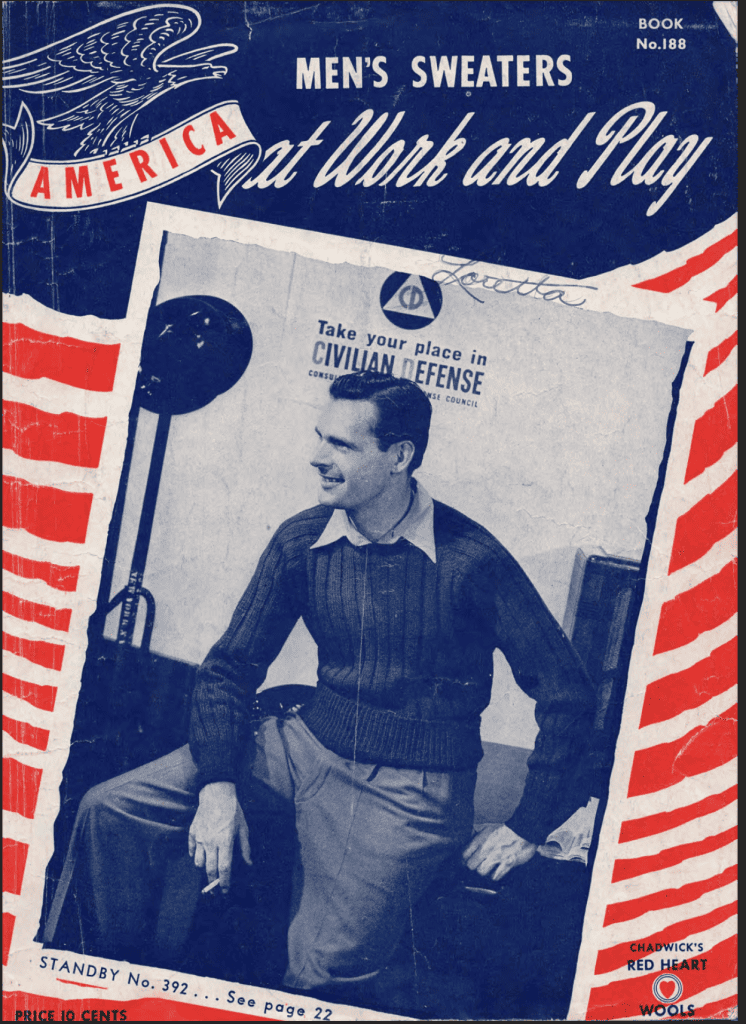
Men’s Sweaters at Work and Play Book No.188
This was a knitting booklet made in 1942 by Chadwick’s Red Heart Wools, a knitting company. It’s 22 pages long and has knitting instructions for the following garments
The “Blueprint” for America Button-up Sweater
The “At Ease” Sweater
The Champion V-neck Sweater
The Grandstander – a scarf and glove set
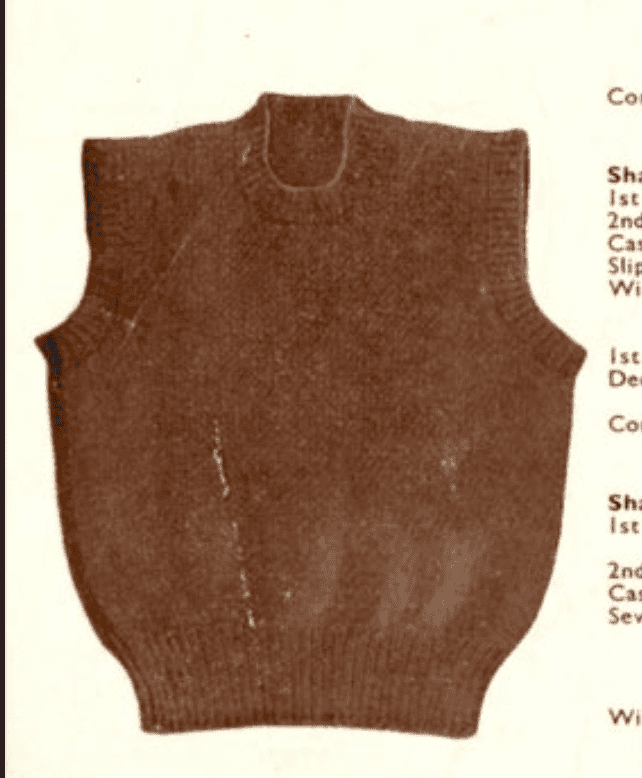
The Match Play Sweater Vest
The Victory Sweater Vest
The Defense Worker Button-up Sweater
The Practical Worker Button-up Sweater Vest
Top Flighters Sweater Vest
The Double or Nothing Sweater Vest
The Football Heroes Pullover Sweater
The Standby Sweater – which is illustrated on the cover
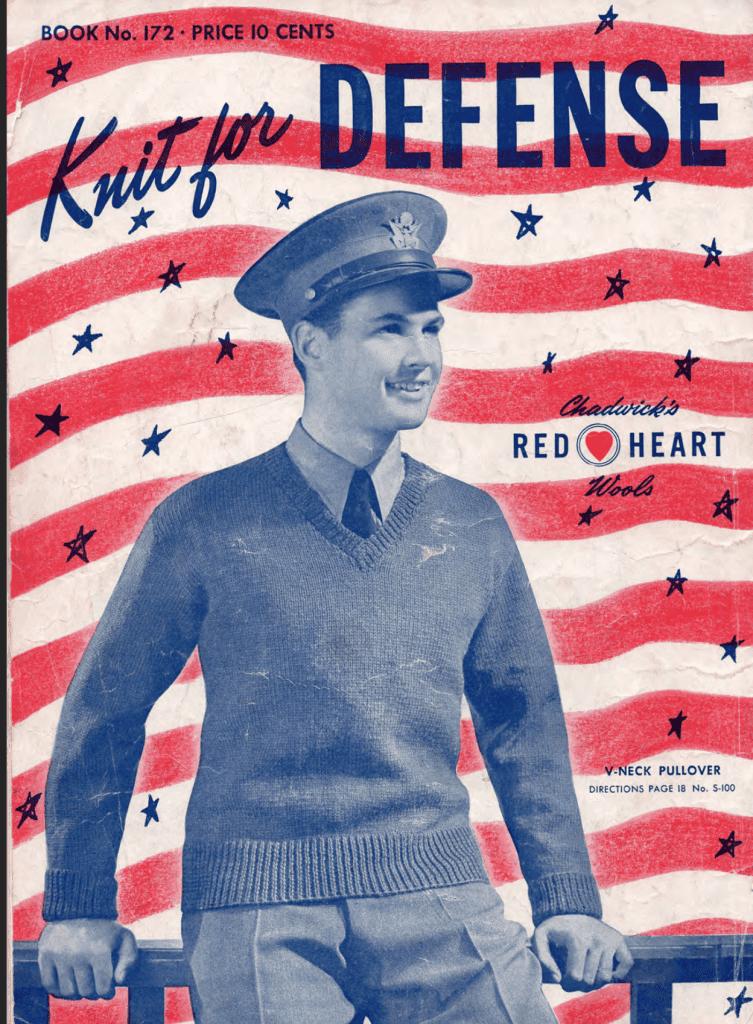
This was a knitting booklet made in 1941 by Chadwick’s Red Heart Wools, a knitting company. It’s 22 pages long and has knitting instructions for the following garments. It has instructions for the following patterns
Round or Turtleneck Pullover
Crew Neck Pullover
Plain gloves and scarf
Chest Protector
Helmet with or without ear flats – designed to go under an M1 Helmet
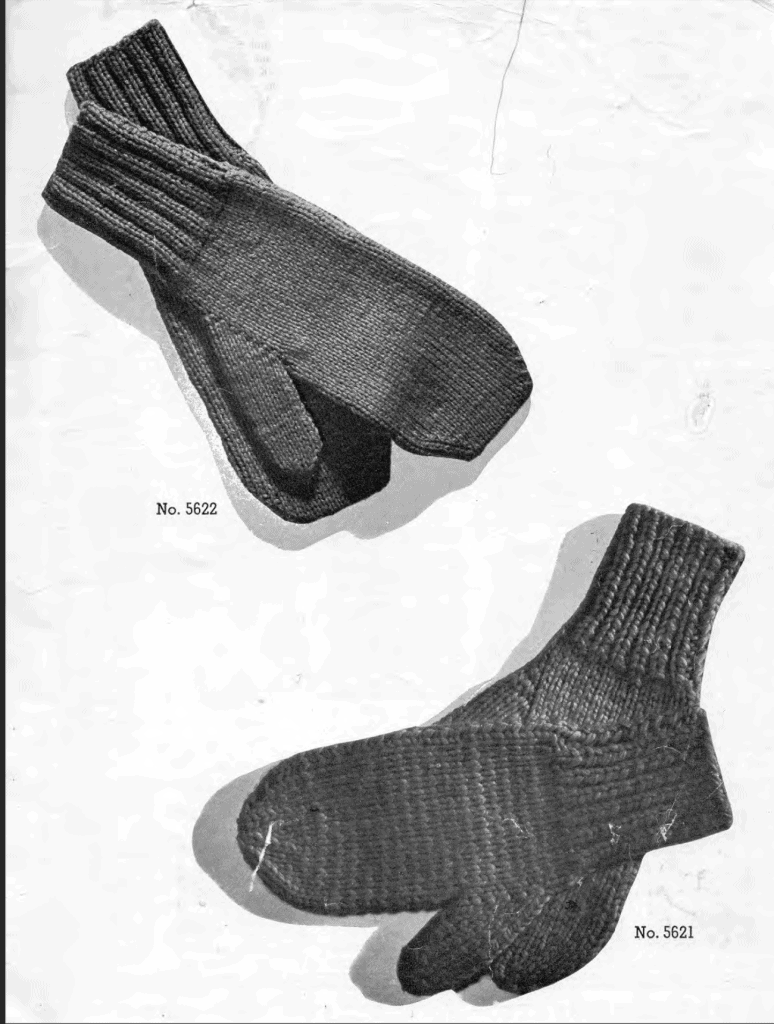
Mittens
Sleeveless V-Neck Pullover
Square Neck Pullover and Cap
Sleeveless High-Neck Pullover
Trigger Gloves – gloves that have slots just for your thumb and index finger
Marksman’s Gloves – gloves that stop at the 2nd joint of a finger
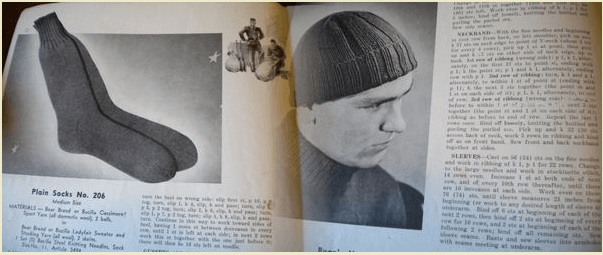
Plain Sock
Spiral Sock
V-Neck Pullover
Knit for Defense: a 1941 kitting guide by Chadwick’s Red Heart Wools
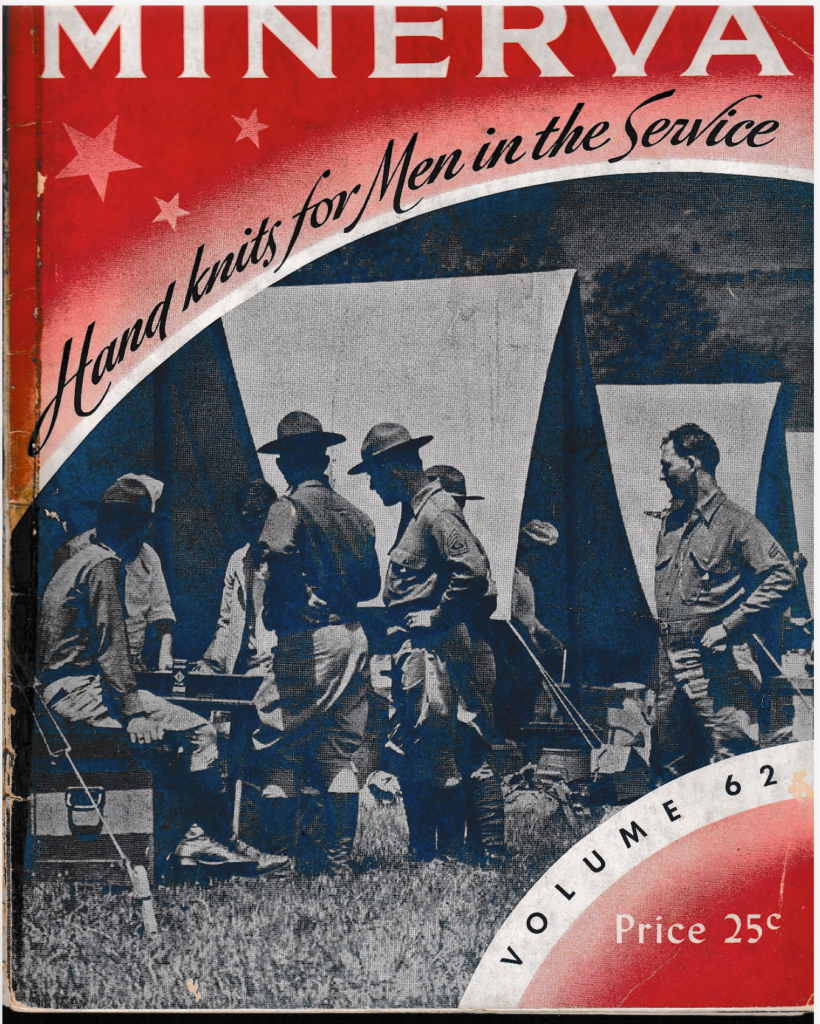
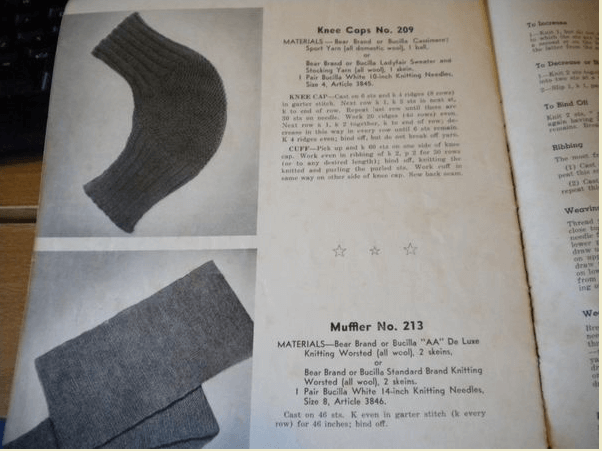
The booklet is vol. 62, from 1942, and was published by James Lees and Sons Co. (Minerva Yarns). The company gives each pattern a specific company name and then includes a description of what it is. It contains patterns for
The links below are a digitized copy of the content found in the Red Cross knitting document, Warm Hand Knits for Servicemen. Read Me First: WWII Knitting FAQ
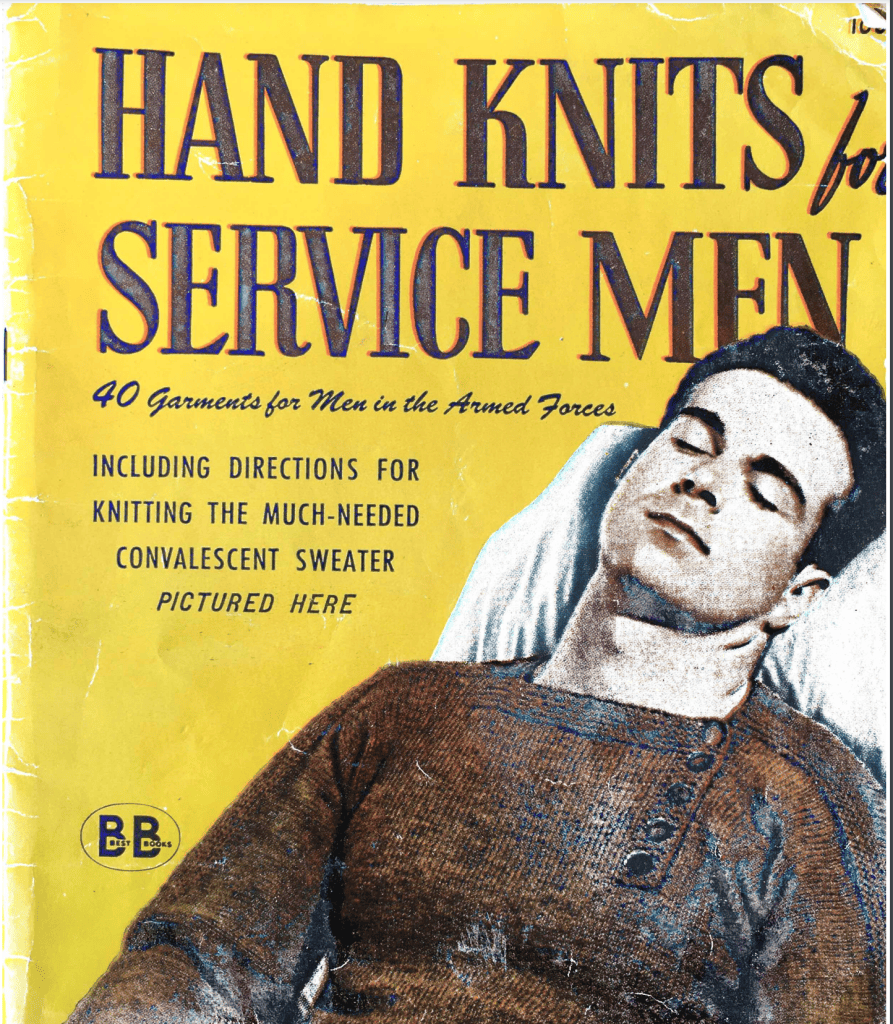
Hand Knits for Service Men – 40 Garments for Men in the Armed Forces
This is a 26-page book that includes 40 different knitting patterns. It was copyrighted in 1944 by Book Productions Industries Inc and published by Ethel Evans.
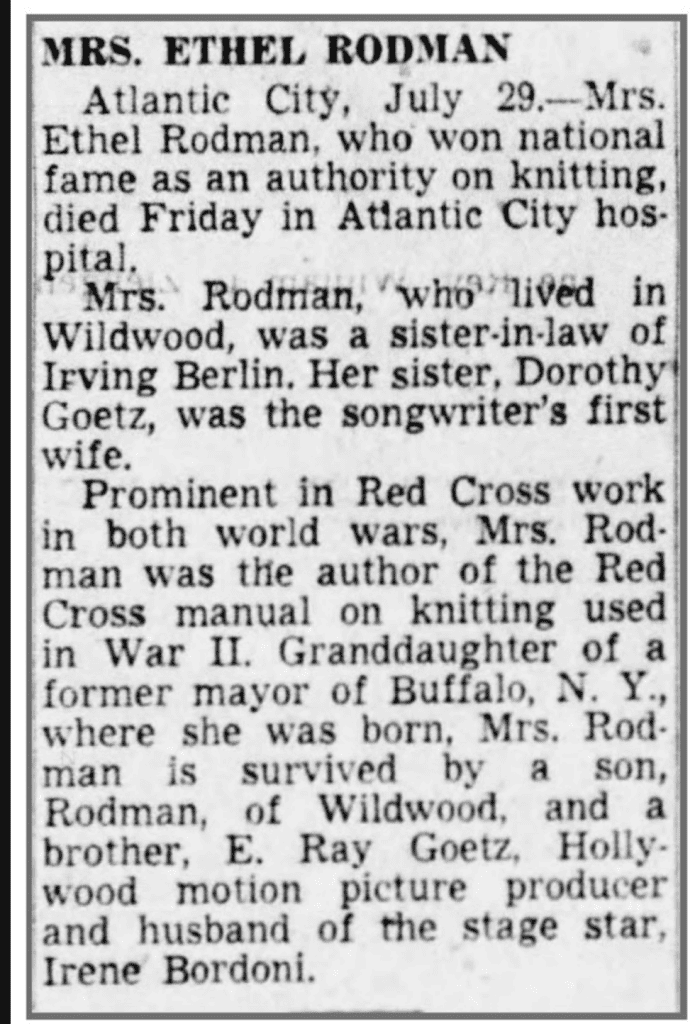
Ethel Evans is actually the pen name of Ethel Rodman. She is a minor celebrity in the world of knitting and crocheting, as she has published several authoritative books in this field. Her brother is Edward Ray Goetz, a Hollywood producer, songwriter, and musician, who at one time was married to actress Irene Bordoni.
This is a knitting guide made in 1947 by the Jack Frost Yarn Company. The company itself may have first started in 1928, according to the date it was trademarked.
Jack Frost Two Needle Mittens Vol 56 1947 Front Cover
The booklet contains the following patterns. Much of it seems to be kid-focused, and there may not be much use for WW2 Reenacting, but the Men’s or Lady’s mittens might work
While this page covers US knitting instructions, you can find a listing of British Knitting instructions: 1940s knitting patterns. It includes the following patterns
Fatigue Cap
When you’re “off duty” jumper
The balaclava helmet
Knitted Turbans
Spiral-spun waistcoat
Gloves for women
Fair Isle gloves and cap
Bed socks
Victory jumper
Pants and vest in mesh stitch
Men’s mittens
Mittens for women
Fishnet stockings
A practical pullover
“A Happy thought” tea-cosy
Sirdar Design No. 1237
Sirdar is a British Knitting company founded in the 1800s. For a history of the company, this article from Knit and Nibble is pretty condensed. Sirdar produced knitting patterns such as the pullover with a collar and a vest, seen below. You can download this pattern here. Sirdar also has copies of 40s patterns (among other eras) in their Heritage section here. Many of which would have been found amongst the civilian and army populations of World War II.
Lister Lavenda Hand Knitwear for the Services
This is another British company, Lister & Co. Ltd, that produced knitting patterns. You can download the book here. It contains the following
MEN’S GLOVES ON 2 NEEDLES
MEN’S MITTENS ON 2 NEEDLES
BED SOCKS ON 2 NEEDLES
HOSPITAL STOCKINGS ON 2 NEEDLES
KNEE CAPS
SPIRAL SEA BOOT STOCKINGS
SPIRAL SOCKS
FLYING JERSEY
HELMET WITH HOLES FOR EARPHONES
CAP SCARF
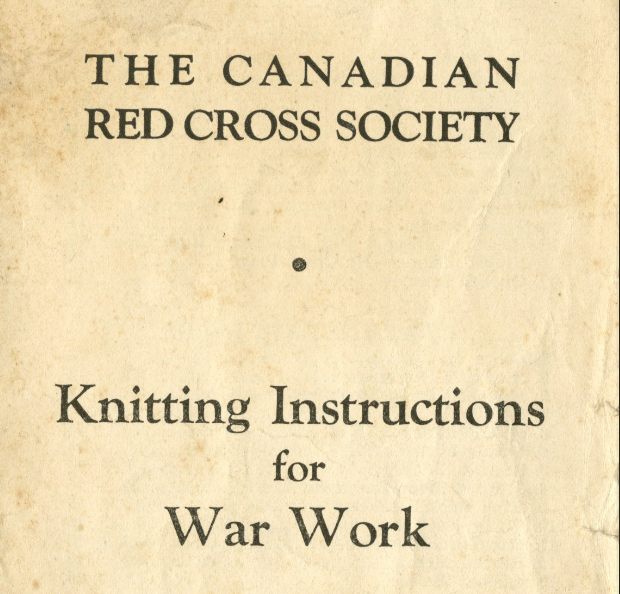
Canadian Red Cross Knitting Patterns
The book was issued by the Canadian Red Cross Society in February 1940 and is 16 pages long. It contains at least 17 different patterns for the Army, Navy, and Air Force.
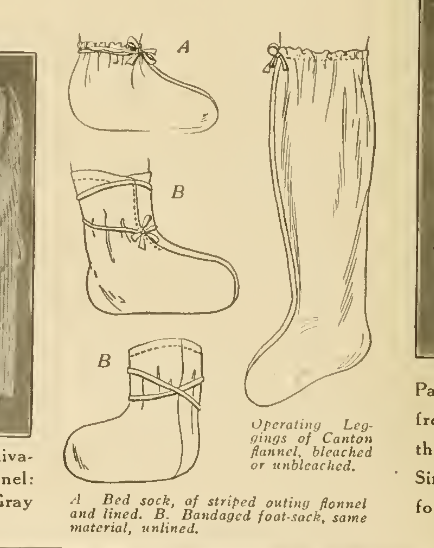
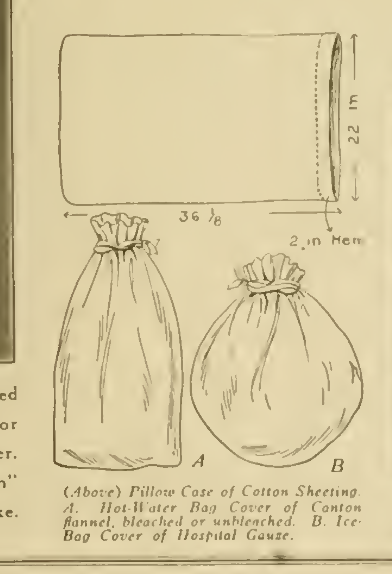
Priscilla War Work Book Comforts for Soldiers and Sailors 1917 – Includes patterns for: Mufflers, Sleeveless Sweaters, Knitted Helmets (types 1 and 2), Medium Size Man’s Socks, Thumbless Mittens/Wristlets, Thumbless Mittens, Hospital Bed Socks, and Balaklava Sleeping Caps.
Also includes a neat discussion on the needs for hospital and surgical gowns, hospital bed shirts, pajamas, bed socks, operating leggings, convalescent gown, operating gowns, hot water bag covers, and ice bag covers.
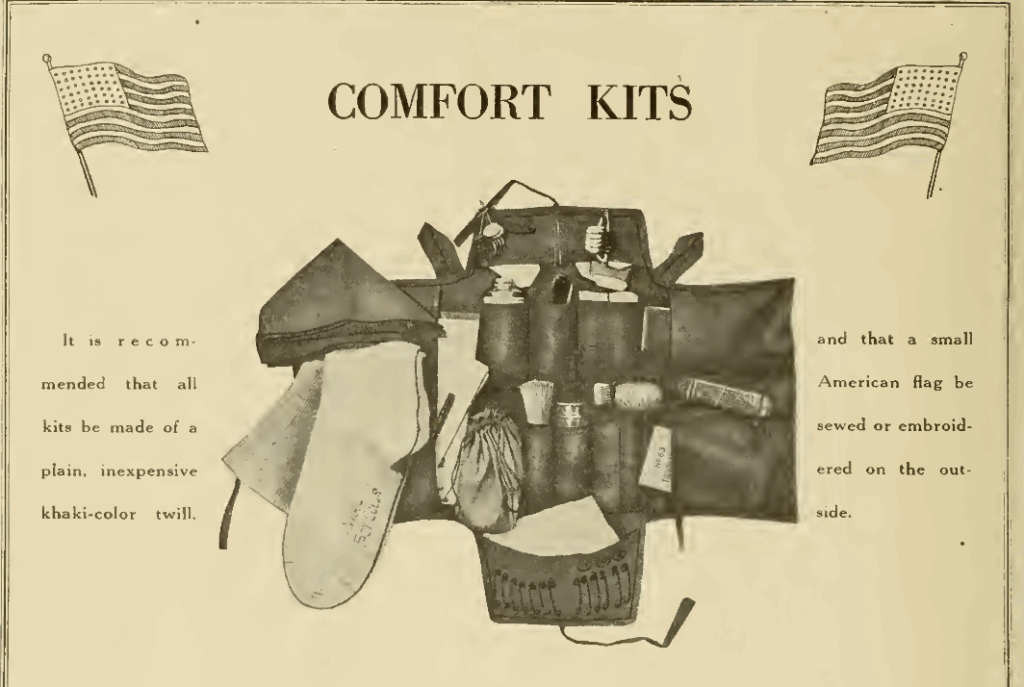
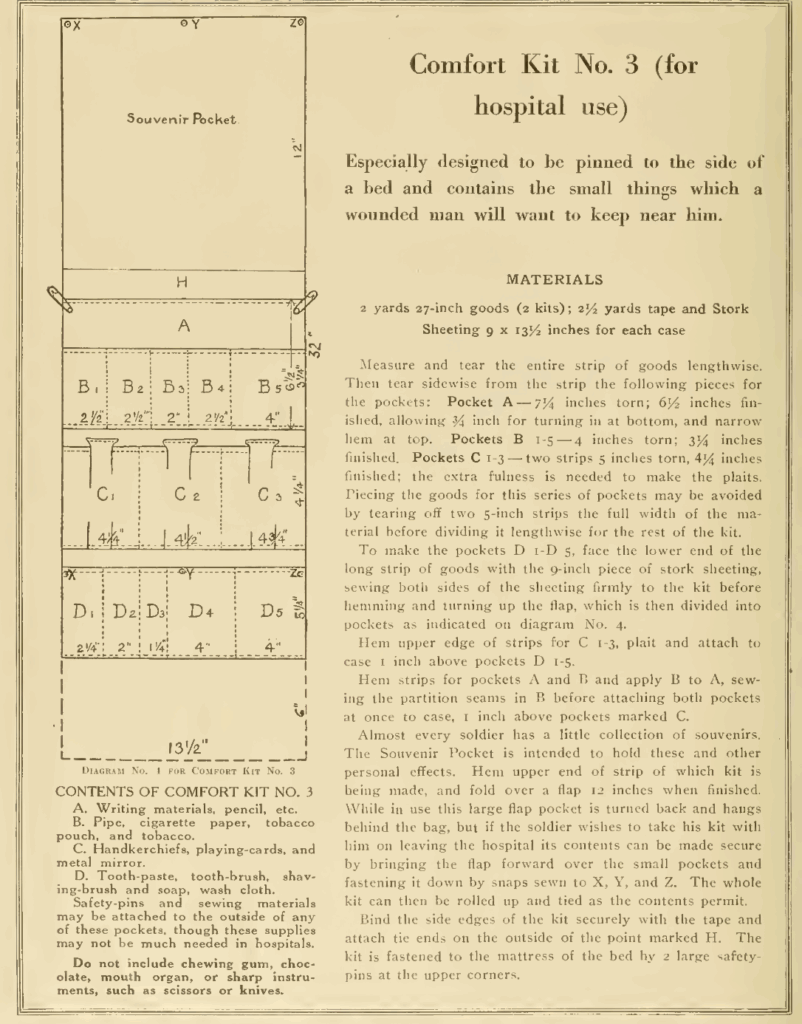
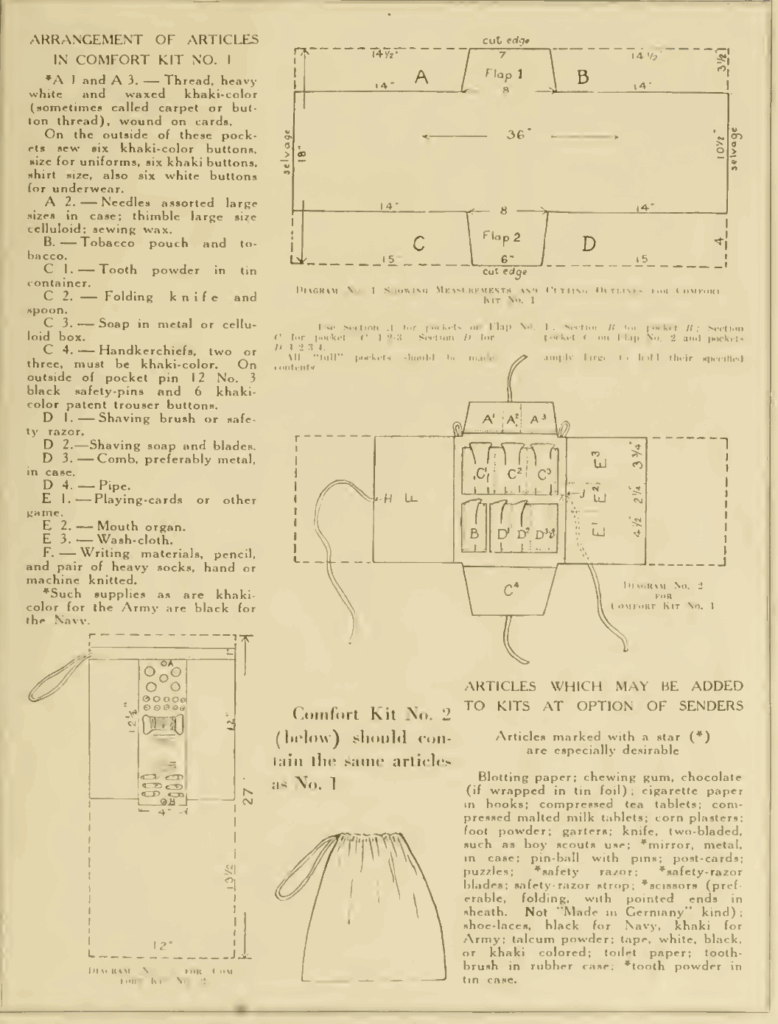
In addition, it shows how to make comfort kits (types 1, 2, and 3) via a pattern.
It also has a few Boy Scout items, but since that’s not really related to WW1, I’m not adding the images.
Fleisher’s knitting & crocheting manual / the Fleisher Yarns 1918 – The first 30 or so pages focus on service-related items (search for “service” or “army). They have a neat section on different kinds of blankets to make, as well as sweaters, hats, scarves, socks, and wristlets.
World War One Red Cross Socks and Wristlets: The Red Cross issued a few patterns. Attached is a zip file with instructions. Comes from: Knitting America: A Glorious Heritage From Warm Socks to High Art by Strawn, Susan. Voyager Press, 2007.
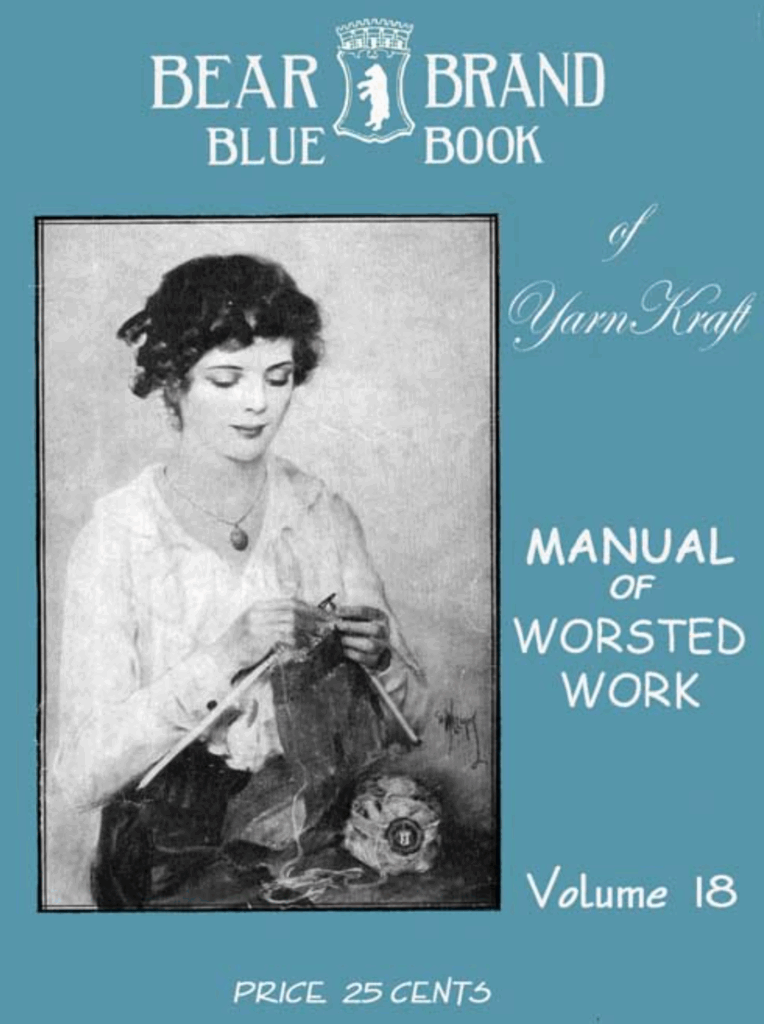
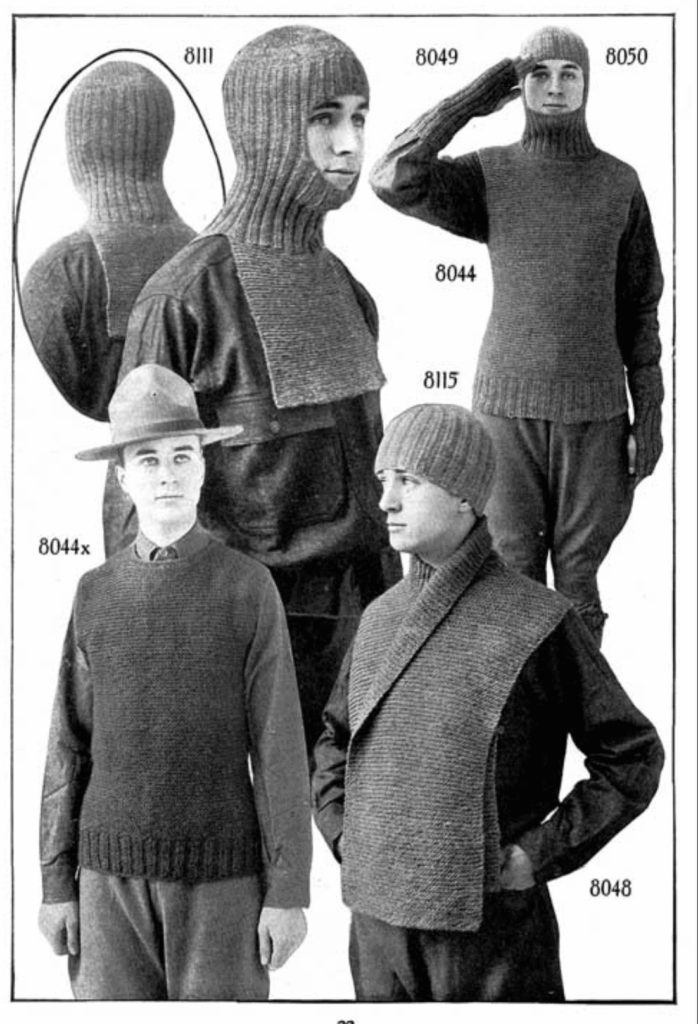
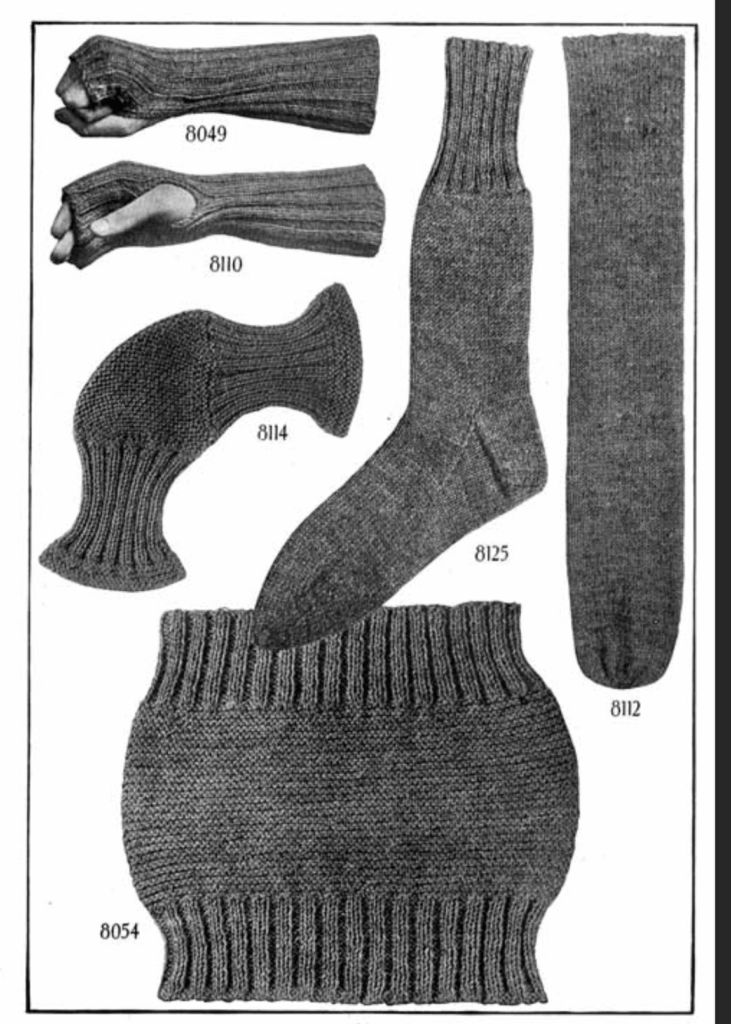
Bear Brand Blue Book No. 18 1918 – Descriptions of how to crochet and knit, as well as showing different kinds of stitches. It has a few items for soldiers and sailors in World War I. Hilariously, it includes a dog sweater pattern (page 128).
Helmet No. 8111
Wristlets No. 8049
Wristlets No. 8110
Muffler No. 8048
Sock No. 8125
Bed Sock No. 8112
Knitted Knee Cap No. 8114
Trench Cap No. 8115
Abdominal Band No. 8054
Marksman’s Glove No. 8141 (instructions on page 127)
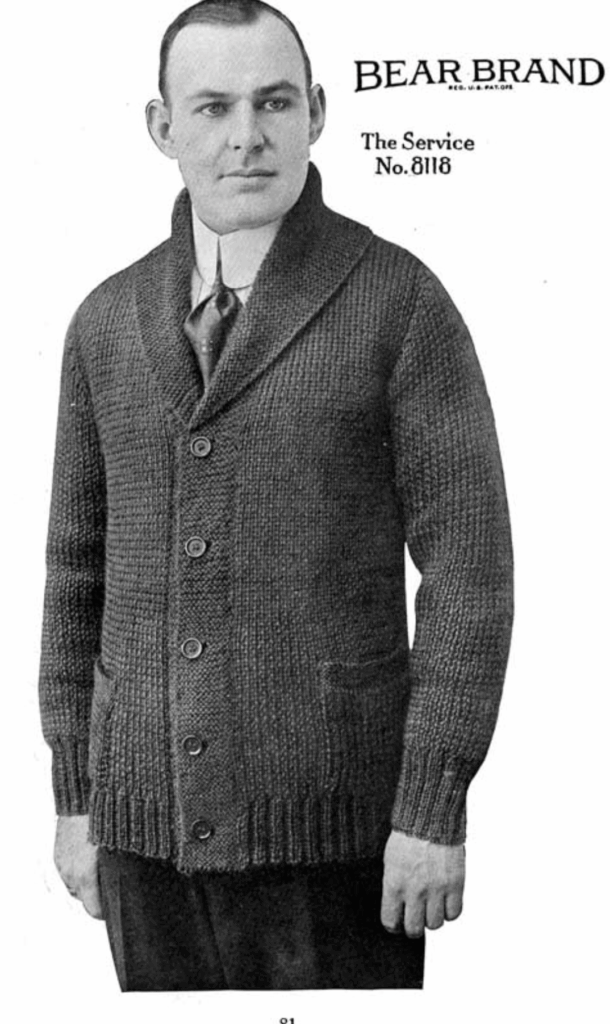
Service Sweater No. 8118 – Seems to be made for civilians in mind, but could be used for military.
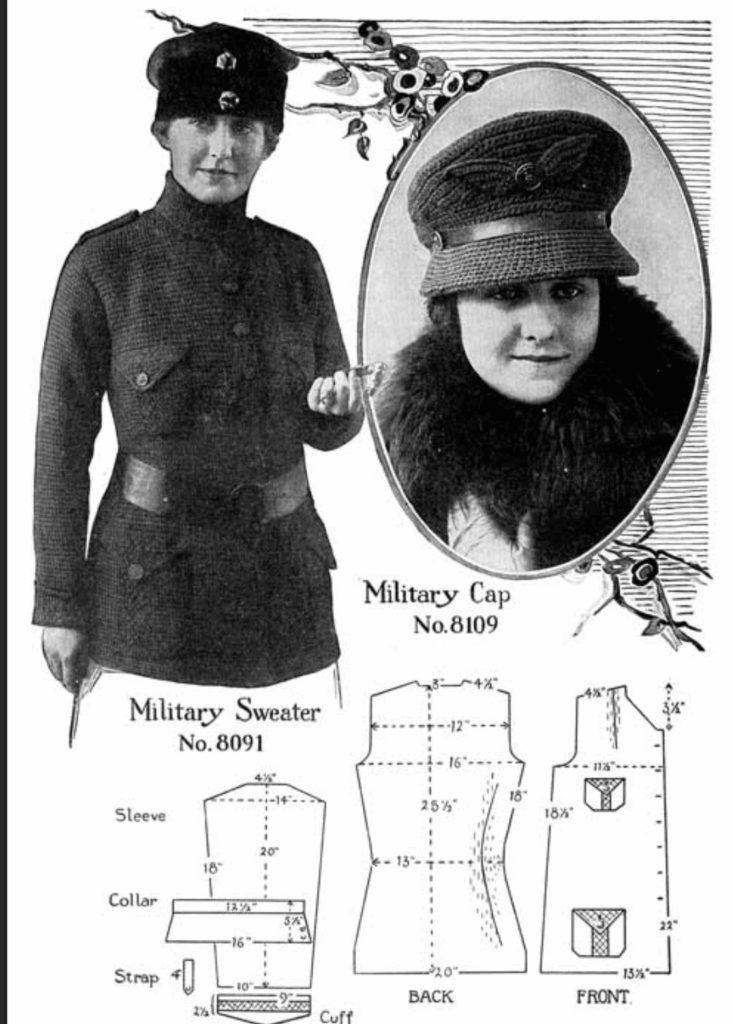
Military Cap No. 8109 – Looks to be a stylish wool hat for women.
Military Sweater No. 8091 – Looks to be a stylish sweater for women.
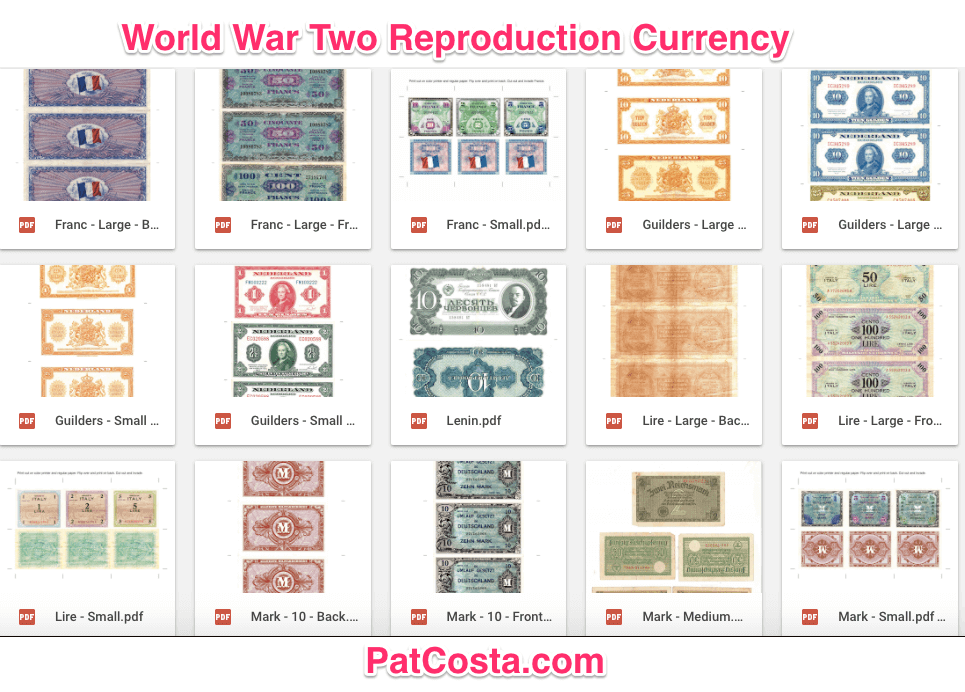
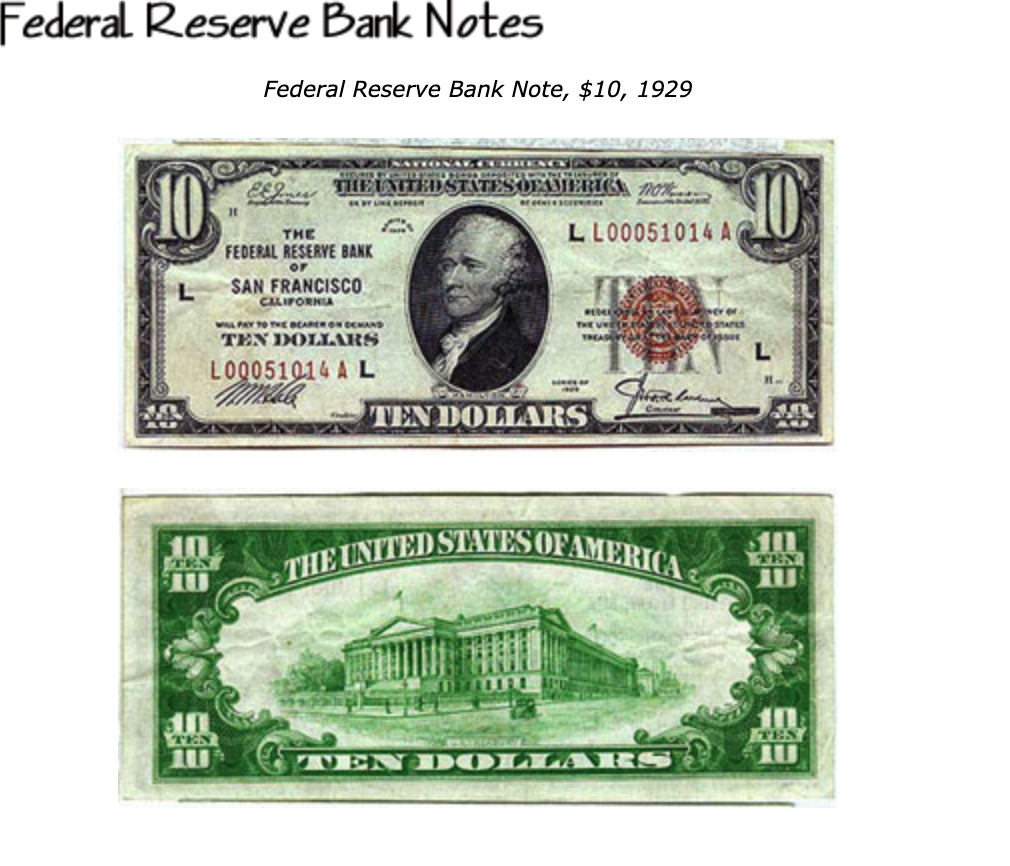
Below is a listing of WW2 reproduction currency of Russia, the Netherlands, France, Germany, Italy, and Japan. The files are all .pdf and may be printed off and used at reenactments.
Some WW2 reproduction currency files below have two files, a front and a back. They are designed to be printed on either a two-sided copier or printed once and then fed back into the printer in the opposite direction so the sides line up.
Others have only a single side. These were also designed to be flipped and fed back into the printer.
United States
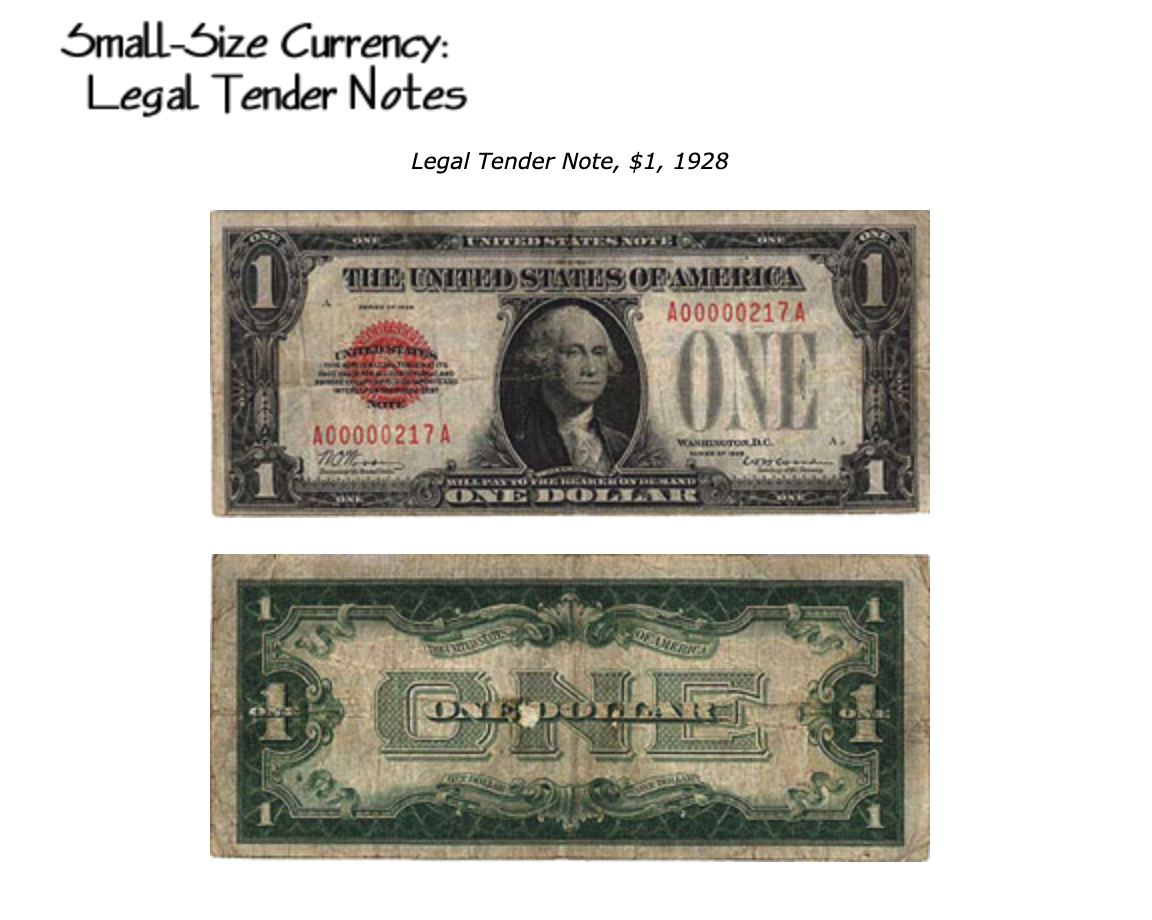
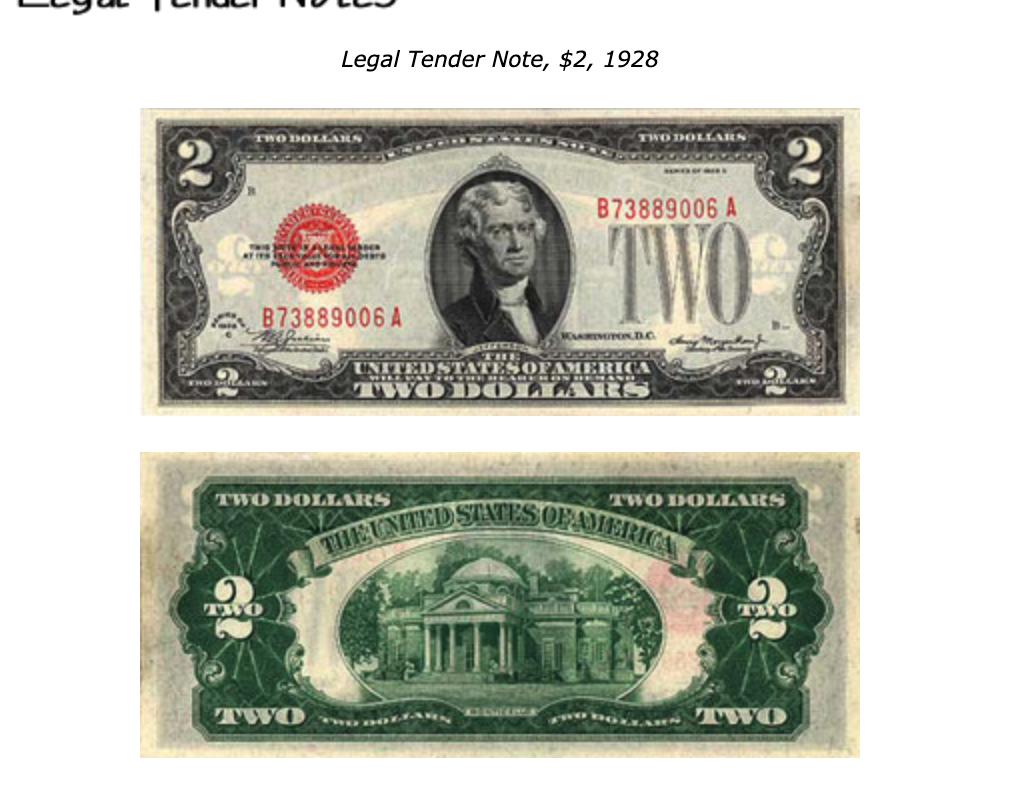
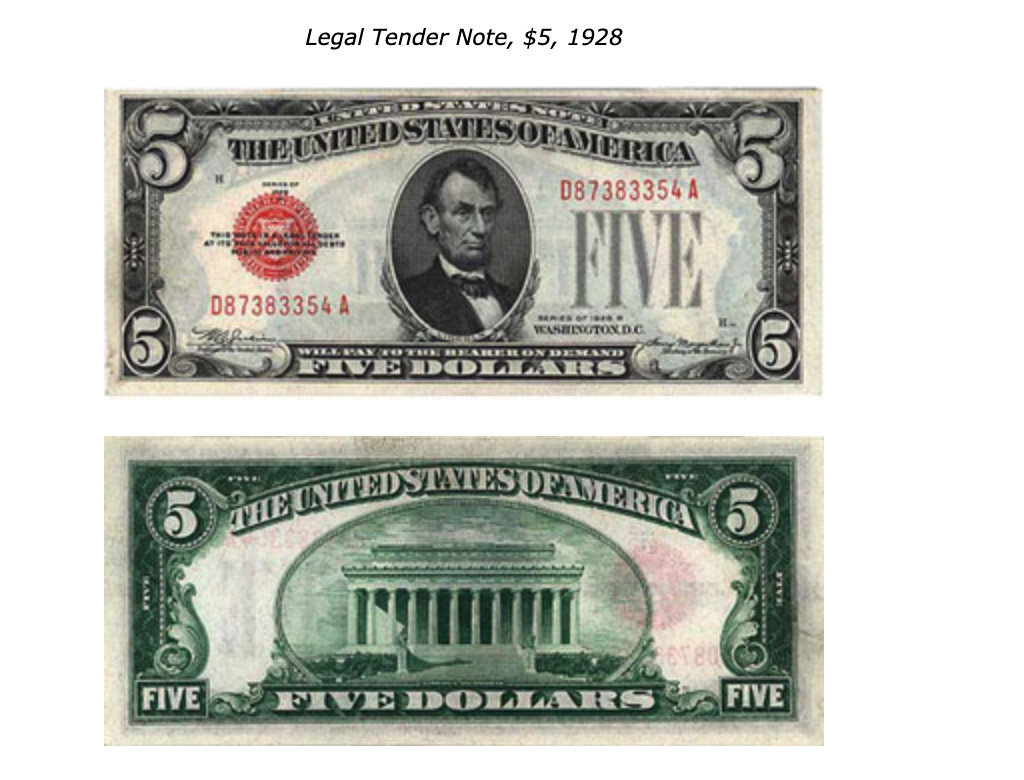
You can find examples of dollar bills from the 1920s, which probably would still be in circulation, at this WayBack Machine link from the Federal Reserve Bank of San Fransico here. It also includes special currency issues such as Hawaii notes and allied occupational currency for North Africa, France, Italy, Germany, Austria, and Japan.
The currency listed below is used to exemplify an aspect of WW2 material culture. I’m unsure of the rules around printing US currency for “prop and educational use”, but you may need to use an unethical AI or work on Photoshop to get a printable version.
A selection of WW2 American Red Cross Recipes for the World War Two Reenactor.
“Red Cross records indicate the organization purchased enough flour between 1939 and 1946 to make 1.6 billion doughnuts. Red Cross women were serving doughnuts at the rate of 400 per minute during the years 1944-1946.
Red Cross Doughnuts
1.5 cups of sifted flour 1/4 tsp. baking soda 1/4 tsp. salt 1/4 tsp. butter or substitute, melted 1/4 tsp. ginger 1/4 cup molasses 1/4 cup sour milk (buttermilk) 1 egg, well beaten
Combine half of the flour with soda, salt, and ginger. Combine egg, molasses, sour milk, and melted butter or substitute. Blend with flour mixture and stir until thoroughly mixed and smooth. Add remaining flour to make dough of sufficient body to be rolled. Roll on floured board, to the thickness of 1/4inch. Cut with doughnut cutter. Fry in deep hot fat (360 degrees) until lightly browned, about 2 to 3 minutes. Drain on brown paper.”
Christmas Packages
Shipping the WW2 American Red Cross Recipes such as in a package required following special guidelines.
“Anyone hoping to send a package overseas was advised to mail early–anytime from Sept 15 through Oct 15. The post office listed a series of guidelines for those mailing packages
‘…The weight limit is 5 pounds. Parcels may not be more than 15inches in length and 36inches in length and girth combined.’ ” Later on, a gift container was manufactured (sorry no picture) it measured 10 by 6 by 4 inches. (119)
“We searched for small compact items that packed well and could survive being shipped thousands of miles. We collected stationery, pencils, airmail stamps, paperback books, Western and detective magazines, canned foods, candy bars, chewing gum, fruit-flavored powdered drinks, dried packaged fruit such as raisins, dates, and prunes, hometown newspapers, Readers Digests, playing cards, heavy socks, and of course snapshots of home folks were especially welcome” (120)
“Packing Cookies took special care. Even though cookies were wrapped and rewrapped in layers of shredded waxed paper or tissue, and then tucked inside tin boxes, they still often arrived in bits and pieces. Not many complained, though. Instead, they shared the contents of their Christmas boxes with buddies not so fortunate” (121)
Soft Oatmeal Cookies (p.121)
1 cup raisins and 1/2 cup water. Cook until hot.
Simmer 10-105 minutes. In a bowl add the following and cream well:
1 cup brown sugar
1 cup shorting (margarine is ok)
1/2 tsp. salt
Add: 2 eggs, beaten well
Mix in: 2 cups flour
Add 1/2 cup nuts, chopped
1/2 cup coconut
2 cups oatmeal
1 tsp vanilla
Drain the raisins, save the liquid and measure 5 T. raisin liquid. If there is not enough juice, add water to make 5 T. Dissolve 1 tsp. baking soda in the juice. Add the cookie batter and stir in the raisins last. Drop by tsp. on greased cookie sheet. Bake at 350 degrees, 12 to 15 minutes.
Wartime Cookies
1 beaten egg
2 cups molasses
3/4 cup melted shorting
1 cup warm milk
2 T. baking soda; dissolve in 2 T. warm water
5 cups flour
2 tsp. cinnamon
1.5 tsp cloves
1/2 tsp. salt
2 tsp. ginger
Add ingredients in the above order, mixing thoroughly after each addition. Be sure to stir in the flour (sifted with other dry ingredients) a little at a time. Drop on a greased baking sheet with a teaspoon and bake at 375 degrees until lightly browned.
Brownies
1/2 cup shortening
1 cup sugar
2 eggs
3 T. cocoa
1/2 cup flour
1 tsp. vanilla
1/2 cup chopped nuts
Mix well, put in a greased 9×9 cake pan. Bake at 350 Degrees for 20 to 25 minutes. Frost when cool.
Serviceman Special Candy
2 cups sugar
1 tsp. vanilla
1 cup cream
1lb marshmallows
1 T. butter
1 cup nuts
1.5 squares bittersweet chocolate
3 cups graham cracker crumbs
Combine sugar, cream, butter, chocolate, and vanilla. Cook to softball stage. Remove from fire and stir in remaining ingredients. Spoon into buttered pan. Press firm and cut into squares.
Victory Muffins (p.85)
2 T. shortening
1 egg
3/4 cup milk
1 cup All-Bran
1 cup sifted flour
2 1/2 TSB. baking powder
1/2 TSB. salt
DIRECTIONS: Beat shortening and egg together until well blended. Add All-Bran and milk and let stand for at least 20 minutes. (This may be done in the evening, adding dry ingredients in the morning.) Sift flour, baking powder, and salt together. Add to the first mixture, stirring only until liquid and dry ingredients are combined. Fill greased muffin pans 2/3 full. Bake in preheated 400-degree oven. For small muffins, bake 25minutes; for large muffins, bake 30 minutes. Makes 12 small or 8 large muffins.
Raisin Honey Sandwiches (p.162)
1 cup raisins, chopped
1/8 TSB. salt
1 T. mayonnaise or salad dressing
1/4 cup nuts, chopped
1 1/3 T. lemon juice
3 T honey
DIRECTIONS: Combine ingredients. Mix thoroughly. Use as filling between thin buttered slices of either brown or white bread.
Military Punch
2 cups boiling water
1 to 3 cups lemon juice
1 cup sugar
1 T. rum extract
2 cups cold strong tea
1 large bottle of ginger ale
1 cup orange juice
Ice
Boil water and sugar for 5 minutes. After it has cooled, add orange juice, lemon juice, extract, and tea. Add ginger ale and ice and serve.
Halloween Cider Punch
2 cups pineapple juice
1 cup lemon juice
1 cup orange juice
Lemon rind
Ice
2 Quarts cider
2 cups strong tea
2 quarts ginger ale
Orange rind
Mix fruit juices and orange and lemon rind, cut into pieces. Add cider and tea and put in a large punch bowl. Just before serving, add ginger ale and ice. Serves 65-70. A sugar syrup may be added.
V Loaf (p.63)
2 cups cooked rice
1/2 cup fine dry bread crumbs
1/2 cup chopped nut meats
1 cup cooked tomatoes
1 egg
1/2 tsp. salt
1/8 tsp. black pepper
2 T. green pepper chopped
4 t. melted butter or margarine
1 small onion, chopped
DIRECTIONS: Mix all together to form a loaf. Bake in a greased loaf pan in a 350-degree oven for 30 minutes. Cover with mashed potatoes put back in the oven to brown. Serve with tomato sauce. This recipe defies detection as a substitute meatloaf and is very good.
Mr. John Burger (p. 24)
1 pound hamburger
1/2 tsp horseradish mustard
1 egg
Small onion, chopped
Salt and pepper to taste
DIRECTIONS: Mix well and spread on bread slices. Makes about 9 slices. Broil until brown–about 9 minutes.
Red Cross POW Packages
” In the beginning of the war commercial firms put together these packages. Later on, the Red Cross volunteers took over [. . .] [t]hey assembled monthly packages for French, Polish and other allied prisoners [. . .] [a]long with the food packages, clothing, shoes comfort articles and medical supplies were also sent” (79 Edson).
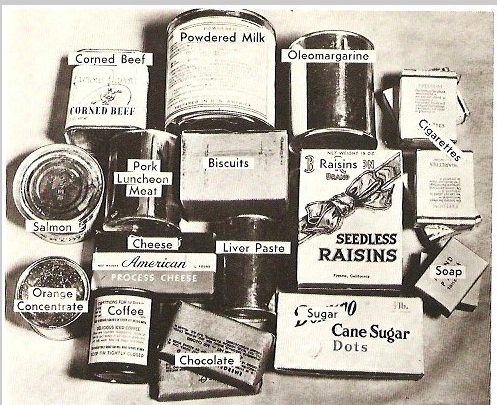
The packages measured “10 inches square and 4.5 inches deep and weighed exactly 11 pounds, as prescribed by the German postal regulations. Red Cross nutrition experts had put together a list of items determined as most effectively supplementing prison camp diet. The boxes contained a variety of items that may have included:
A five-ounce box of raisins; a half-pound of American cheese; one pound can of powdered milk; 12 ounces of corned beef from Argentina; a 6 ounce can of ‘Brunch’ (Pork Luncheon Meat) which consisted of chopped pork, salt, water, sugar, and sodium nitrate; a 2 ounce can of coffee; a 7 ounce can of tuna fish; a half-pound box of sugar cubes; a 6 ounce box of army K2 biscuits; four bars of guest size toilet soap; one pound can of oleomargarine; four Hershey chocolate bars; and a can of pate (Liver Paste) which was a mixture of milk, chopped pork livers, pork fat, onions, oats, soy, grits, whole wheat, yeast, defatted wheat germ, and hydrolyzed plant protein.
The Red Cross also sent seeds and tools, along with cookbooks to the prison of war camps, where prisoners were sometimes allowed to cultivate vegetable gardens.
Many times a word from home did more good than anything. The ‘Red Cross News.’ a publication containing favorite comics, news items, sports news, and special articles was distributed to the prisoners of war on a regular basis” (79).
WW2 American Red Cross Recipes Source
Edson, Laurie J., “American Red Cross 50th Anniversary World War Two Cookbook.” Cedar Falls, IA, Woolverton Publishing Company. 1993. Amazon link here
12 Years a Slave Video Lesson Plans and Worksheets
While I never had an opportunity to test out 12 Years a Slave Video Lesson Plans and Worksheets I would have liked to have shown the film either at the end of the year or as part a discussion on slavery (either as part of a World History or US course).
If copies of the book may be found it may be worth it to have students read a chapter out of the book. This guide includes questions for each chapter along with enrichment activities (both for the book and the film)12 Years A Slave Reading Questions
I would often use John Stossel Lesson Plans and Worksheets in my government class as he highlights different aspects of government and highlights what the role of the government in society and economy should or should not be. These came as videos on a DVD but now can be found in YouTube or his site below.
While I never had an opportunity to teach the AP Psychology Lesson Plans and Worksheets (though I did receive training before we moved out of state), I thought it might be nice for other AP teachers to take advantage of the guides provided. Documents are either pdf or doc/docx.
Google Site: AP Psych File Cabinet: Includes lessons, PowerPoints, docs, articles, pdfs for 15 different units. Includes test-prep review materials: The AP Psych File Cabinet
The Basics of Research PowerPoint can be downloaded here.
40 Studies: A book that covers the 40 most important studies for Psychology. Includes student worksheets and questions